/
How do I send the link to my customer?
Copy the link and send it any way you like: WhatsApp, a text message or email. There's a ready-made message too.
1 min read
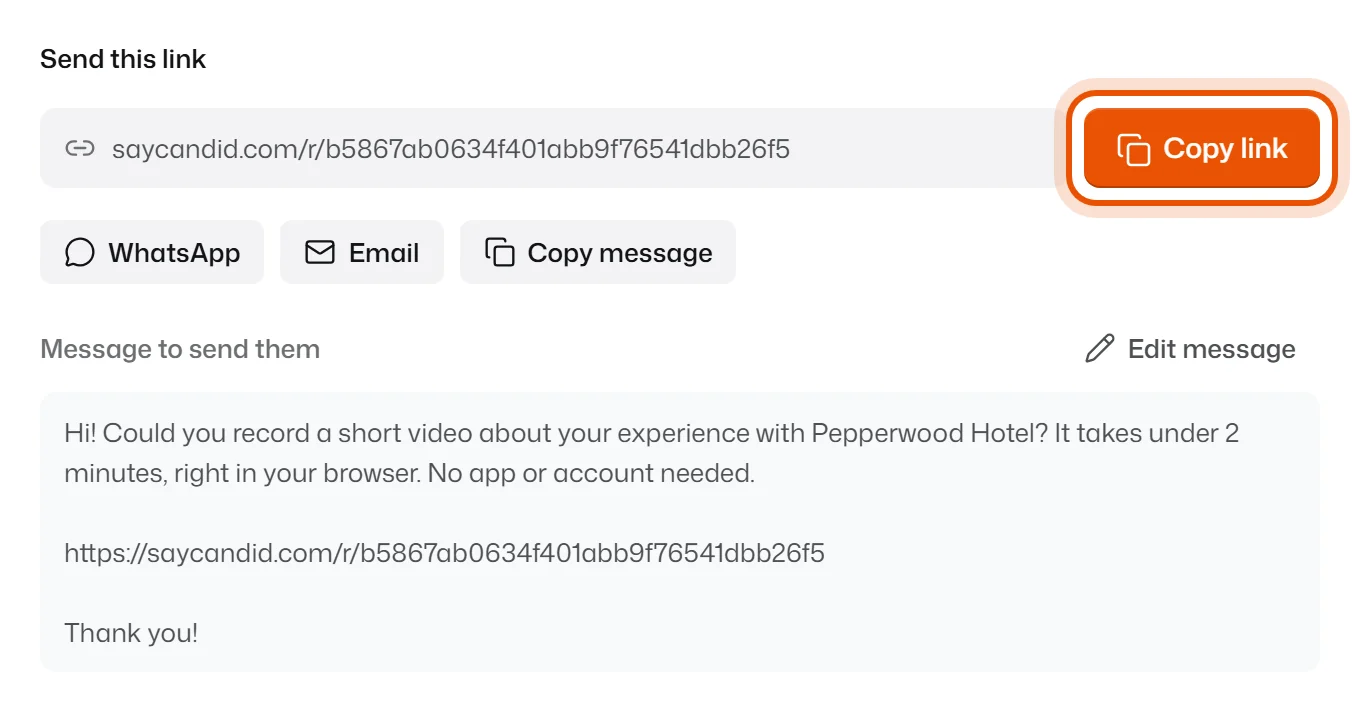
After you make a link, its page opens with a box called Send this link.
Send it
Pick whatever is easiest for you:
- Copy link: copies just the link. Paste it into any chat or email.
- WhatsApp: opens WhatsApp with the message and link ready.
- Email: opens your email app with the message and link ready.
- Copy message: copies a short friendly message with the link inside. Paste it anywhere.
- Share…: on a phone, opens your phone's share menu.
The ready message says something like: "Hi! Could you record a short video about your experience with Pepperwood Hotel? It takes under 2 minutes, right in your browser. No app or account needed." To change it, press Edit message.
Find the link again later
- Press Review requests in the menu on the left.
- Click the request.
- The link is in the Send this link box at the top.
Related
Didn’t solve it?
Search in your own words, or try the fix-it guides.