/
Can I remove the SayCandid label?
Yes, with Pro. Turn off the label on each widget, and the "Powered by SayCandid" line on your recording page.
1 min read
On Free, a small "Video reviews · SayCandid" label shows on your widget, and "Powered by SayCandid" shows at the bottom of your recording page. With Pro you can turn both off.
On your website
- Press Widget on the left and open the Header step.
- Turn off SayCandid label.
- Press Publish.
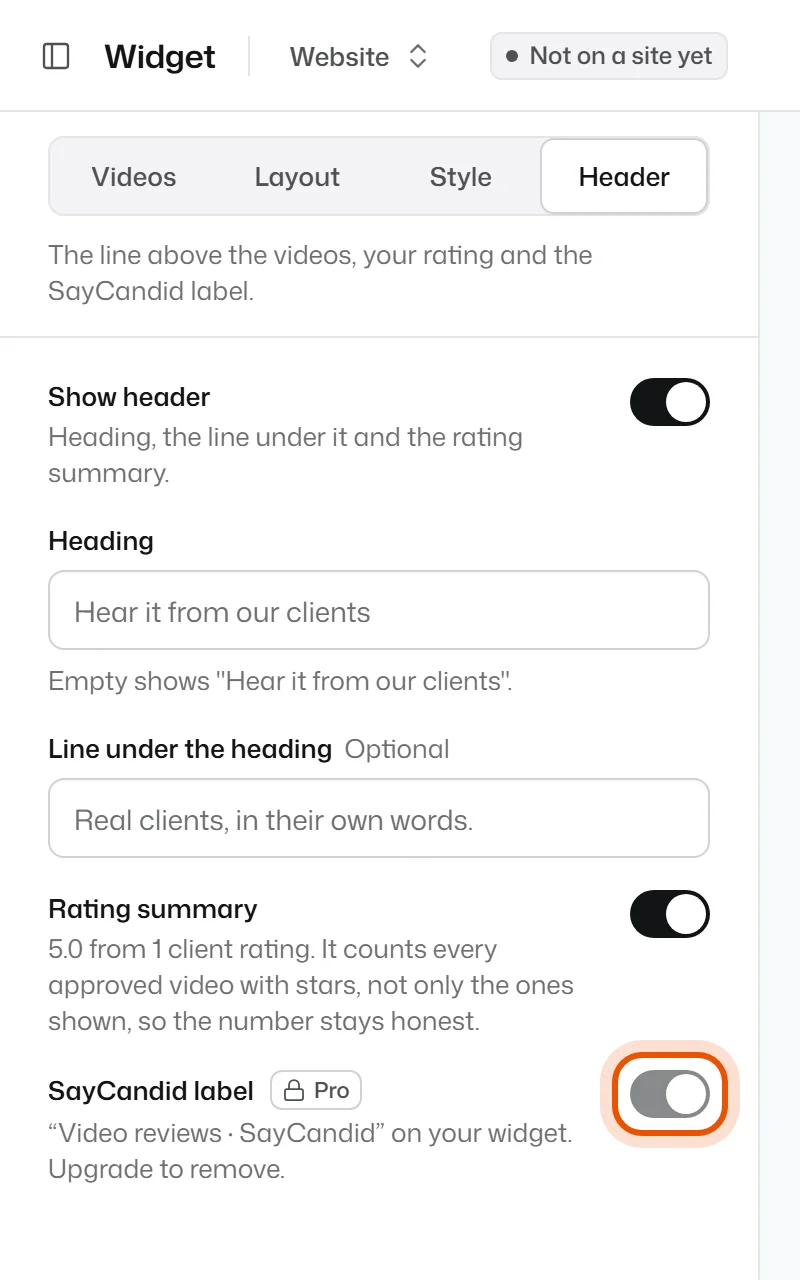
Do this for each widget you have.
On your recording page
- Open your account menu (bottom left) and choose Settings.
- On the Business tab, turn off "Powered by SayCandid" on your recording page.
- Press Save.
Related
Didn’t solve it?
Search in your own words, or try the fix-it guides.