Testimonial ads: how to turn customer videos into ads
Have a customer video you'd like to use in an ad? Here's how to choose a clip, check permission, add captions and get it ready.
The SayCandid team6 min read
Key takeaways
- Choose a customer video that answers a question people ask before buying.
- Check permission, keep the customer's meaning intact, and read the captions before you export.
- Test the ad and look at the results that matter to your business.
In this article
- 1What makes a customer video useful in an ad?
- 2Step 1: Choose the question the ad should answer
- 3Step 2: Collect a recording in the customer's own words
- 4Step 3: Check permission and claims
- 5Step 4: Cut the video around one useful point
- 6Step 5: Add captions and choose a shape
- 7Step 6: Test it like any other ad
- 8Common mistakes
- 9Make your first customer video ready to test
A testimonial ad shares a customer's experience with your business. To make one from a video, pick the part you want to use, check that you have permission, add captions and export it for your ad.
You can tell people what it's like to work with your business. Or you can show them a customer talking about it.
If you already have a customer video, where do you start? Let's take it from the recording to an ad you can test.
What makes a customer video useful in an ad?
Look for a customer talking about something your next buyer might care about. If you run a local business, that could be what it was like to book an appointment. If you run an agency, it might be how you handled a project.
Listen for these details:
- What was the customer looking for?
- What were they unsure about?
- What did they buy, book or ask you to do?
- What was the experience actually like?
- What would they tell someone considering you?
"Great service" is nice to hear. But a customer explaining what made it great gives the next person more to go on.
Step 1: Choose the question the ad should answer
Think about one question someone might ask before buying. Then look for a customer video that helps answer it.
| Audience question | Possible testimonial subject |
|---|---|
| Can this business handle a job like mine? | A customer describing a similar project |
| What will the first appointment be like? | A customer discussing their visit |
| Is this product suitable for how I use it? | A customer explaining their use |
| Why should I pay more? | A client describing what was included or valuable to them |
Look at the questions your own customers ask, too. What comes up in sales calls, emails or support messages?
Step 2: Collect a recording in the customer's own words
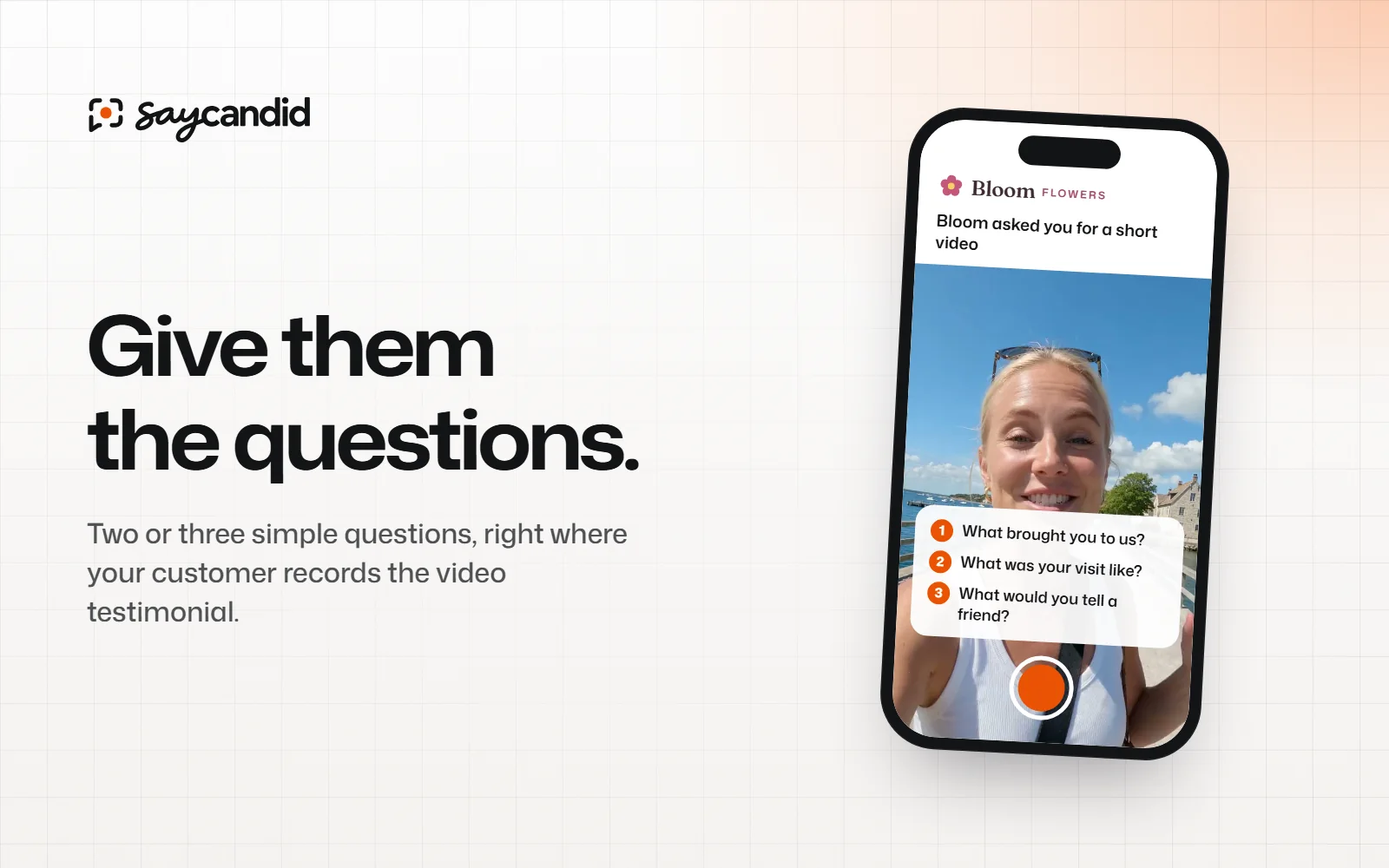
Ask your customer about their experience. Two or three questions are enough to help them get started. You could ask what they needed, what working with you was like and what they'd tell someone thinking of choosing you.
Let them answer in their own words rather than giving them a result to claim. Need ideas? Our video testimonial questions cover different types of business.
With SayCandid, you can add your questions and send a link. Your customer can record or upload a video in their browser, then watch it back before sending.
Step 3: Check permission and claims
Before you run the ad, make sure your customer has agreed to that use. Check their details, what they say and the finished edit too.
Did you give them a gift or discount? Check whether you need to mention it in the ad. Don't ask for a positive review in exchange for a reward. The FTC's endorsement guidance explains the US rules on endorsements and disclosures.
In SayCandid, customers agree to website and ad use before sending their video. You can check that consent next to the recording. Before you publish, you'll still need to make sure the ad's claims and disclosures are right for where it will run.
Step 4: Cut the video around one useful point
Watch the whole video first. Find the part that answers your question, then trim the rest if you need to.
Make sure the cut still means what your customer intended. If they mention a result with some important context, keep that context or leave the claim out. Not sure? Ask them to watch the finished edit.
A straightforward structure to test:
- Open with the customer's situation. Give viewers a reason to recognise the problem.
- Show the relevant experience. Keep the customer's own explanation.
- Make the next step clear. Tell viewers where to learn more, book or view the product.
You could also start with the part of their answer that's most relevant to your audience. Try what fits the video; you don't have to squeeze every customer story into the same format.
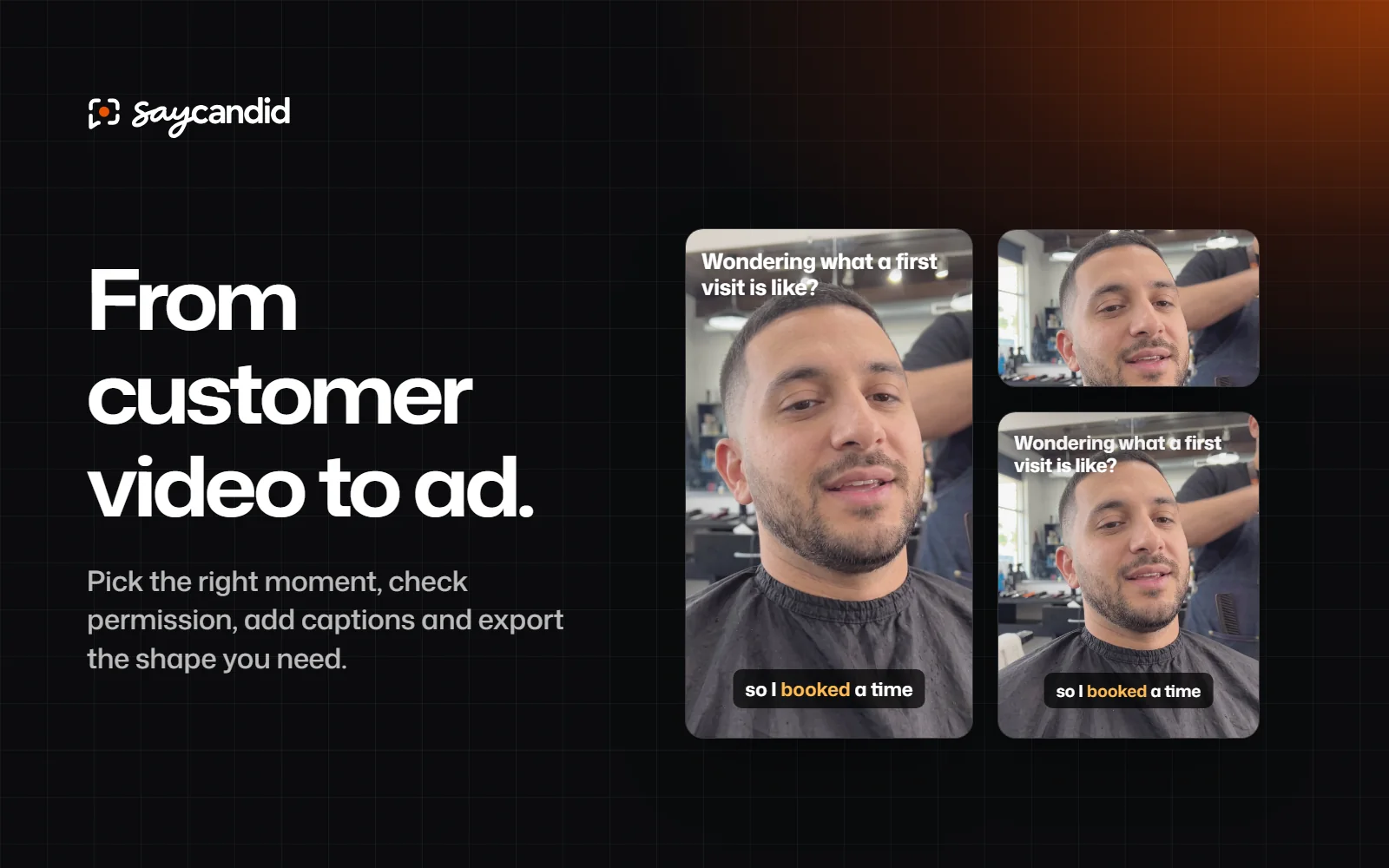
Example: turning a longer answer into a short ad
Let's say a customer recorded a longer video about hiring a window-cleaning business. The example below is made up to show the process; it isn't a real testimonial or result.
The question your ad should answer: What is it like to book and use the service?
The part to look for: The customer explains how they arranged a visit and what happened on the day. Keep the words and context that make their answer accurate.
A possible on-screen heading: "Wondering what a first visit is like?"
The video: Use the customer's own answer. Add captions and check that the crop keeps the speaker and text visible.
The next step: "See our window-cleaning services" with a link to the matching service page.
That's one idea to test. Use a real customer's actual words, not the example above, and make sure they've agreed to the use. Don't add a result they didn't describe.
Where to find more ad examples
You can search the Meta Ad Library for a business or keyword and look at ads currently running across Meta's platforms. Pick a country and search for a business in your category. Look at how the ad introduces the customer and what it asks people to do next.
An ad appearing in the library doesn't tell you how well it performs. Use what you see for ideas, then test your own version.
Step 5: Add captions and choose a shape
Captions help people follow along when they can't hear the video. Read them before you export, especially any names, prices or product terms.
Pick a shape that fits where the ad will appear. After you crop it, check that you can still see your customer's face and read the captions. Preview it on a phone too. Your ad platform will have the current size requirements.
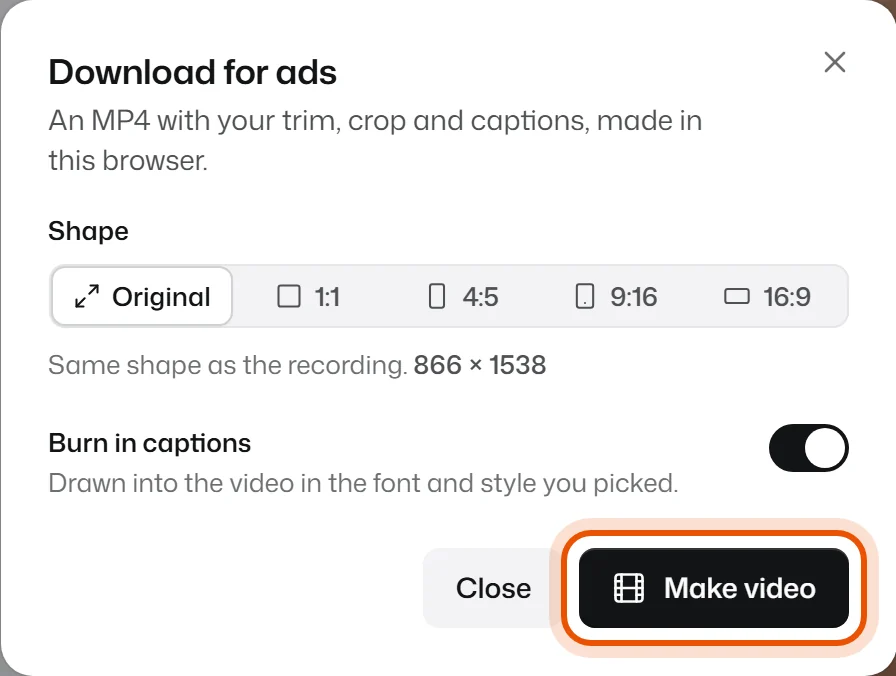
In SayCandid, open the video, trim it and generate captions. Correct any words, then use Download for ads to choose the shape and burn the captions into the MP4. Ad exports are made on a supported desktop browser and can be up to three minutes. Free includes three ad downloads a month; Pro includes unlimited ad downloads. See the export guide.
Making a Reels ad? Meta's Reels ad guide explains the placement and its current creative guidance. Check that any text stays clear of the app's buttons and labels.
Step 6: Test it like any other ad
Before you compare ads, decide what you want them to do. If you want enquiries, look at whether the enquiries are a good fit, not only how many people clicked. If you want purchases, look at sales alongside what you spent.
Check the audience, budget, placement and time period before deciding one ad did better. A good opening can get attention, but the ad also needs to reach the right people with the right offer.
You can try different customer stories, openings or captions. Just make sure each version stays within the customer's permission and keeps their meaning intact.
Common mistakes
Using the wrong customer story. A good recording about one service may not answer the question someone has about another.
Leaving in a long setup. If the useful point starts a minute in, consider whether the opening can be shortened without losing context.
Adding captions without checking them. A wrong name or number can undermine the whole clip.
Treating permission as an afterthought. Check it before preparing an ad, not after it has gone live.
Assuming the video is the whole offer. The landing page still needs to explain what you sell, what happens next and how to buy or book.
Make your first customer video ready to test
Have a customer video in mind? Open it in SayCandid, trim the part you want, check the captions and download it for ads. Then upload the MP4 to your ad platform and try it alongside your other ads.
Questions people ask
- What is a testimonial ad?
- It's an ad that shares a customer's experience. It could include a video, a written quote or another kind of testimonial.
- Can I use a customer testimonial in an ad?
- Get the customer's permission first. Then check that what they say is accurate and that you've included any disclosures you need. The rules depend on the ad and where it runs.
- How do I make a customer video into an ad?
- Pick the part you want to use and check that you have permission. Trim it, add captions, choose the right shape and export it. Then you can upload it to your ad platform.
Keep reading
Customer testimonials5 min read
Video testimonial questions that get useful answers
Not sure what to ask for a video testimonial? Find simple questions that help customers talk about their experience in their own words.
Website conversions5 min read
AI UGC vs customer testimonials: which should you use?
Thinking about AI UGC? See how it compares with a real customer video, and when you might use each one.